SEO Rank Tracker
A desktop rank tracker that combines Google Search Console with live Google results. See where you rank, where you almost rank, who beats you and what to do about it, without a monthly SEO subscription.
Version 0.1.0 · Windows 10/11 · 116 MB · free
Why I built it
Commercial rank trackers are built for agencies with thousands of keywords. I sell a niche B2B product and need a few dozen keywords, tracked properly: where we rank in the Netherlands and Belgium, which page Google picks, and which competitor sits above us. So I built exactly that, together with AI.
What it does
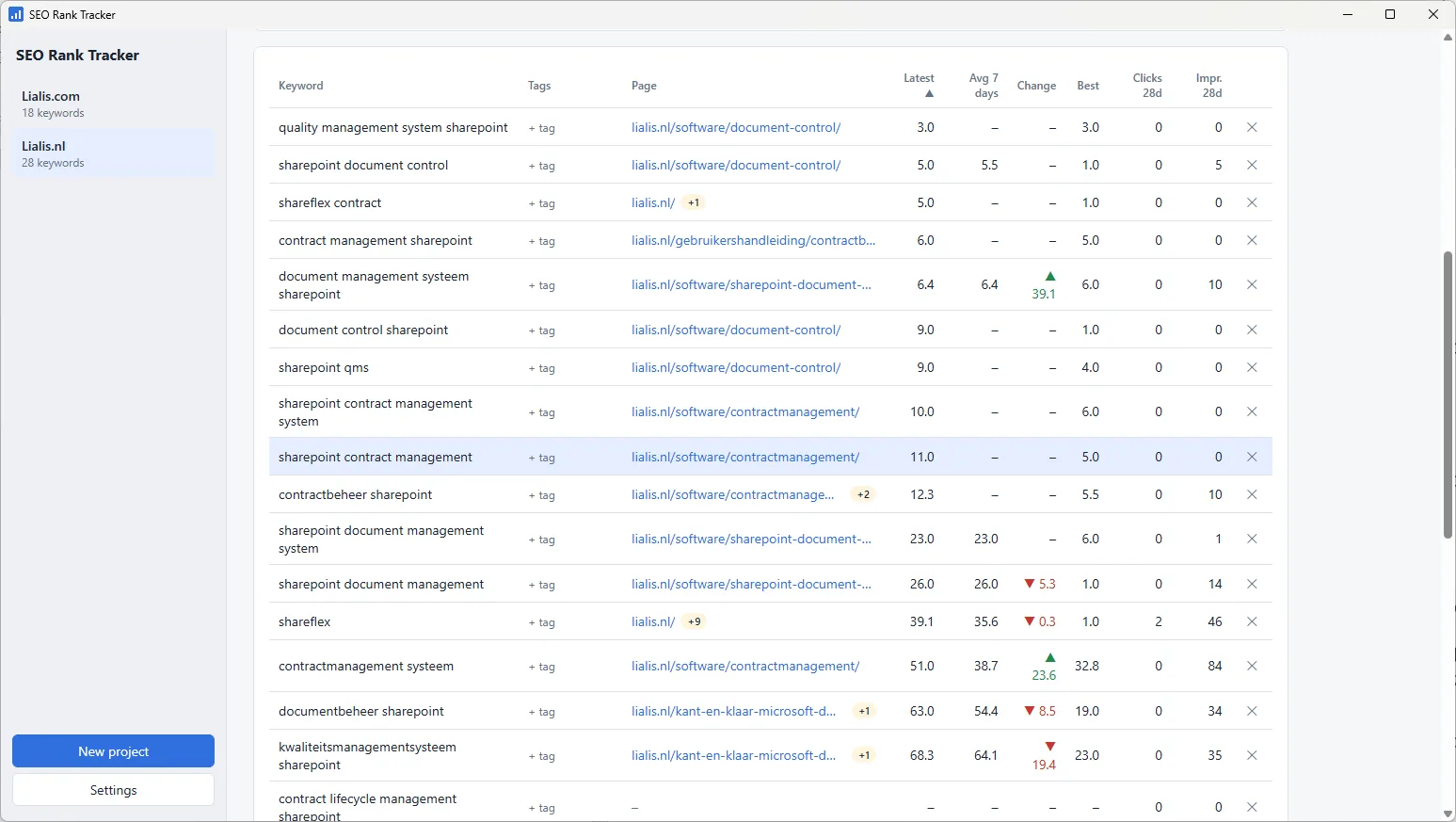
Keyword positions
Daily positions, 7-day average, change and best position from Search Console, with the ranking page and position history over 16 months.
Opportunities
Queries where you already rank 5–20 with real impressions, but don’t track yet. Add them with one click.
Ranking keywords
Every query the site is found for, with page, clicks, impressions and CTR, filtered by country and device.
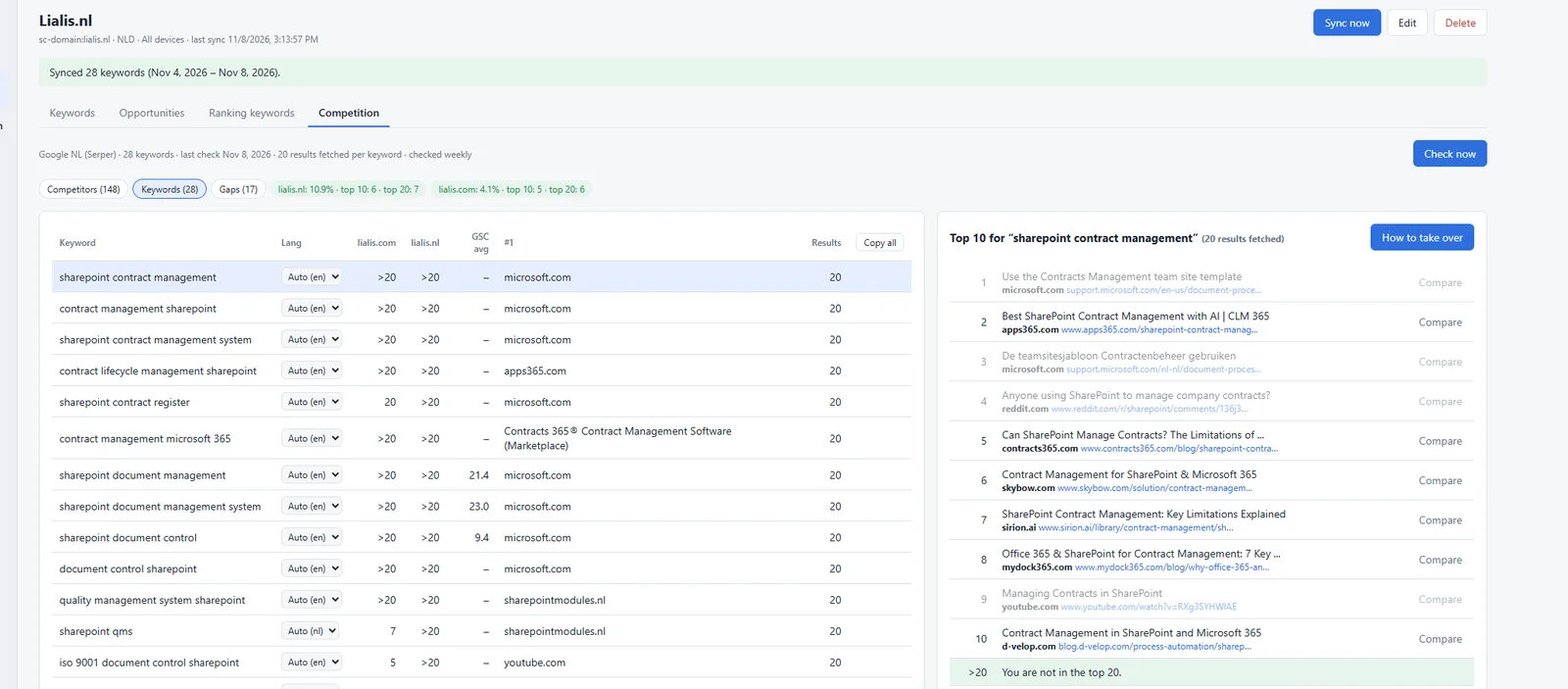
Competitors & share of voice
Automatically detects which domains appear most in your Google top 20, with top-10 counts, average position and share of voice.
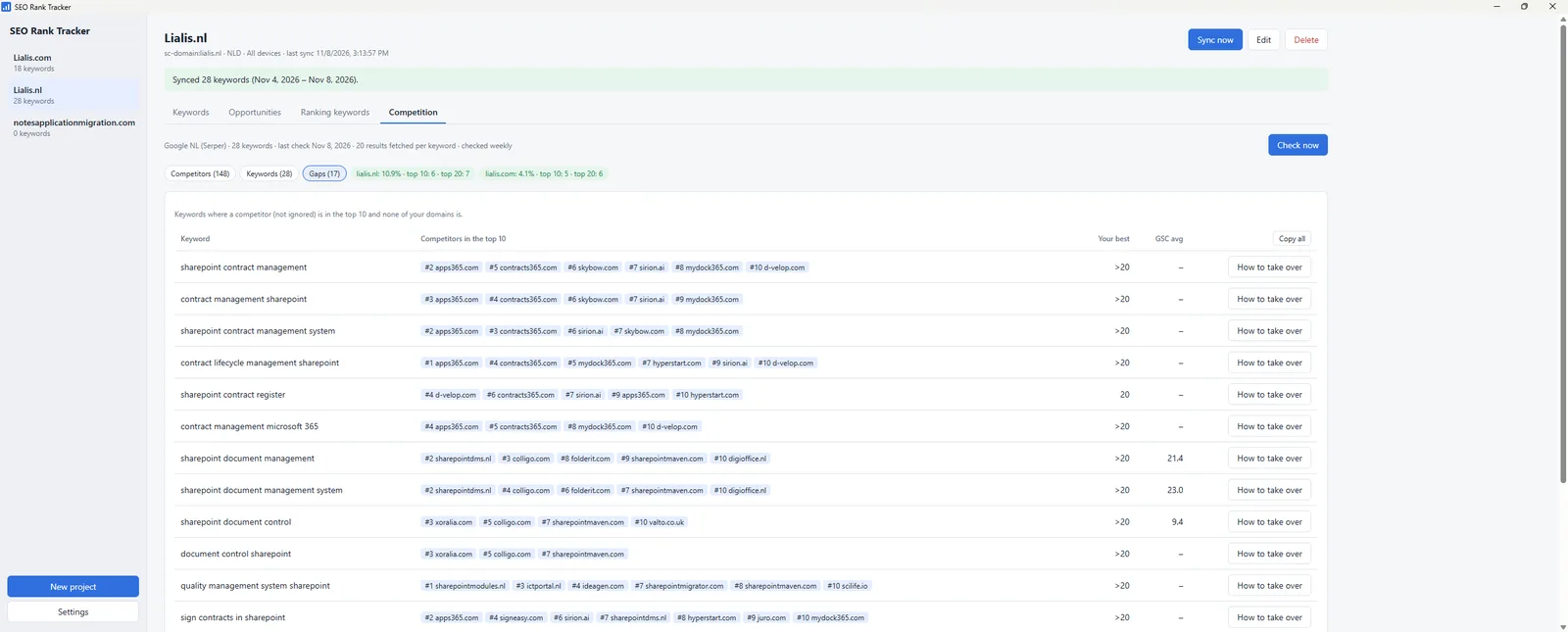
Keyword gaps
Keywords where a real competitor is in the top 10 and none of your own domains is – your to-do list.
Multiple projects
One project per site, with its own country, language, own domains and ignore list (Microsoft, YouTube, Reddit…).
Notes
Log what you changed and when, so you can see in a few weeks whether it worked.
Copy all
Export the whole project as Markdown, ready to paste into an AI assistant for analysis.
How it works
- Connect Search Console with your own Google OAuth client – your data stays on your machine.
- Add a project per site and the keywords you care about.
- Sync positions from Search Console and check the live Google top 20 weekly via Serper.
- Act on opportunities and gaps, and log what you changed in the notes.
Download & install
- Download SEO-Rank-Tracker-Setup-0.1.0.exe and run it. The installer is per user and adds a desktop and Start menu shortcut.
- Windows SmartScreen may warn because the installer is not code-signed: click “More info” → “Run anyway”.
- Create a Google OAuth client (type “Desktop app”) in Google Cloud, with the Search Console API enabled. The README on GitHub walks you through it.
- Enter the client ID and secret under Settings and sign in with Google. For the Competition tab, add a Serper API key (free tier available).
Your data stays on your own computer (%APPDATA%\seo-rank-tracker); the Google sign-in token is encrypted with Windows DPAPI. Source code: GitHub.
SHA-512: 9a6b8afb2327f3003c2775e9be8ddc166ba6b98facad6b2d577cee3c665f9191cf01d15d5dabbae5f2624be74629d09dc5b69b4a2168eae8cc85cf3e8d16a91c
Built with AI
The app was designed and written in conversation with Claude: from the first version to bug fixes based on real data (“position 0 means no data”, “English keywords searched by Dutch users”). The result is a tool that fits one specific job very well, at almost no running cost.